
Whether you’re planning ahead, facing an immediate caregiving challenge, or somewhere in between, you are not alone.
CareNav® offers:
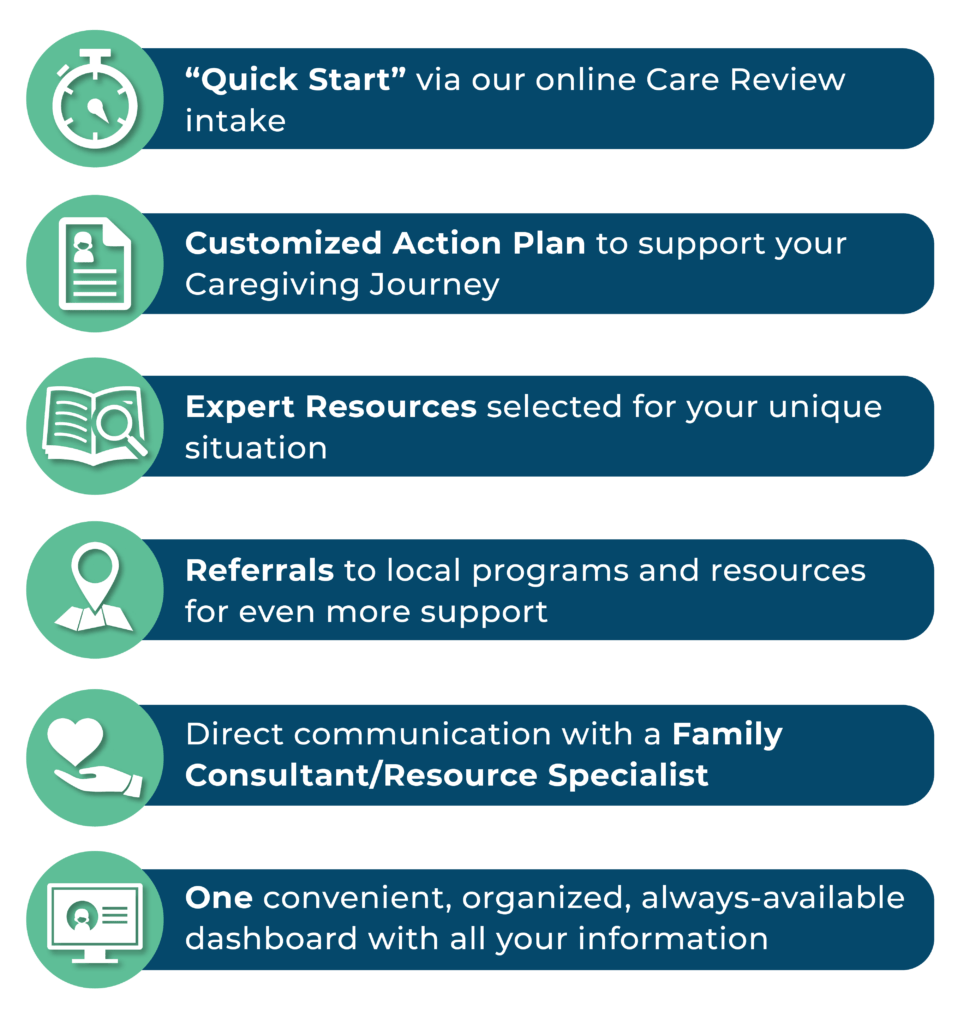
This is your first step toward navigating and managing your caregiving journey.
Ready to start receiving support?
Enter your zip code below to find your Caregiver Resource Center, and click on CareNav®.
Please use the zip code for the county where you (the caregiver) live, not the county where your care recipient lives.
Frequently Asked Questions

How do I create an account?
Go to Find Your Local CRC, enter your location (use your own zip code as the caregiver, not the zip code of the person you care for), and then click on CareNav®. This will open up the CareNav® account page for your local CRC. Fill out the fields under “Become a Member” to create an account!
Which county should I sign up in?
Sign up through the Caregiver Resource Center in the county where you live, not where your care receiver lives. Your local CRC is your point of contact for support and services.
In which languages is CareNav® available?
The CareNav® portal is currently available in English, but services are available in multiple languages.
Is CareNav® secure?
Your personal information is private and secure. CareNav® does not share information without your signed permission.
I am a current client with a Caregiver Resource Center. How do I access my CareNav®?
Please contact your Family Consultant, who will help you login to your CareNav® account.